Fill & Sign a PDF in your browser.
Open it, type, add a signature or handwriting-style text, then save and print. Six layouts, page rotation, and page-image export support reading and practical form work.
UR Viewer Web · No installation required
Read eBooks and comics. Watch movies. Listen to music. View photos. Present slides. Fill & Sign PDFs—and more, right in the browser you already use.
Powered by UR Viewer Web in Chrome and Edge · Selected files are processed locally
UR Viewer Web 1.0.0
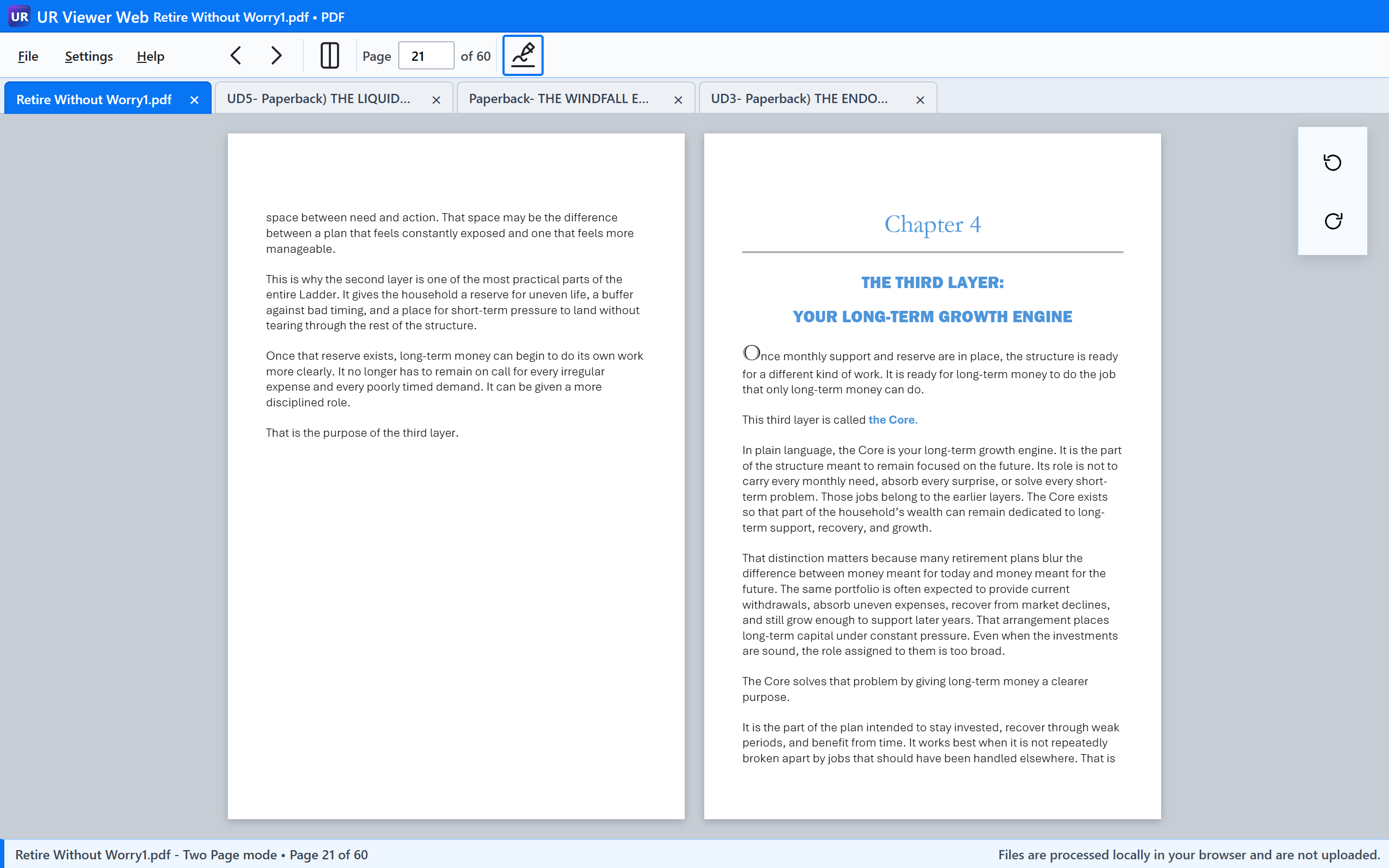
Each file opens in its own tab. Select a tab to return to that file.
What can your browser do?
More from the browser you already have
UR Viewer Web brings familiar reading, viewing, playback, presentation, and signing tasks into one immediate browser workspace.
Open it, type, add a signature or handwriting-style text, then save and print. Six layouts, page rotation, and page-image export support reading and practical form work.
Read DRM-free eBooks with chapter navigation and adjustable text that actually reflows. Your logical reading position is preserved when the text size changes.
Read supported CBZ, CBR, CB7, and CBT archives in six viewing modes, then save or extract page images when needed.
Open them directly. View common images, zoom toward a detail, pan, browse a folder as a slideshow, and play animated GIFs where applicable.
Open a local PPTX, navigate the slides, start Slide Show, and zoom or pan without installing PowerPoint merely to view the presentation.
Play them without uploading them. Use seeking, fullscreen, playback speed, embedded MKV text subtitles, or an external SRT/VTT file. Browser and operating-system codec support still applies.
Open supported plain-text, source, script, and configuration files read-only in a monospaced view. Content is displayed for inspection—not executed or treated as a code editor.
Open supported MP3, M4A/AAC, WAV, OGG/Opus, and FLAC files with native playback controls. Actual decoding depends on the browser and operating system.
Local processing
Opening a file in UR Viewer Web does not upload that file to a UR Suite server. The application code is delivered to your browser, and the browser reads and renders the local file you select.
This is especially useful when you want to inspect a business or medical PDF, read an ebook, view personal photos, or play local media without first sending the content elsewhere. Normal browser and network behavior still applies when loading the Viewer itself.
One Viewer experience, three ways to use it
See what your browser can do.
Free, immediate access with no installation. The easiest way to discover more capability in the browser you already use.
Open UR Viewer WebTake it anywhere.
The Viewer packaged with its required resources for local or offline use from a folder or removable drive, without a conventional Windows installation.
Explore Viewer PortableIntegrate it with Windows.
The same viewing experience with Windows conveniences such as File Explorer opening, Open With, Start menu access, and installed-app behavior where available.
Explore Viewer DesktopNeed to create something?
UR PDF Creator makes letters, notes, announcements, simple forms, notices, signs, and other printable documents right in your browser—then saves the finished result as PDF.
UR PDF Creator is currently in beta as we continue refining the experience.